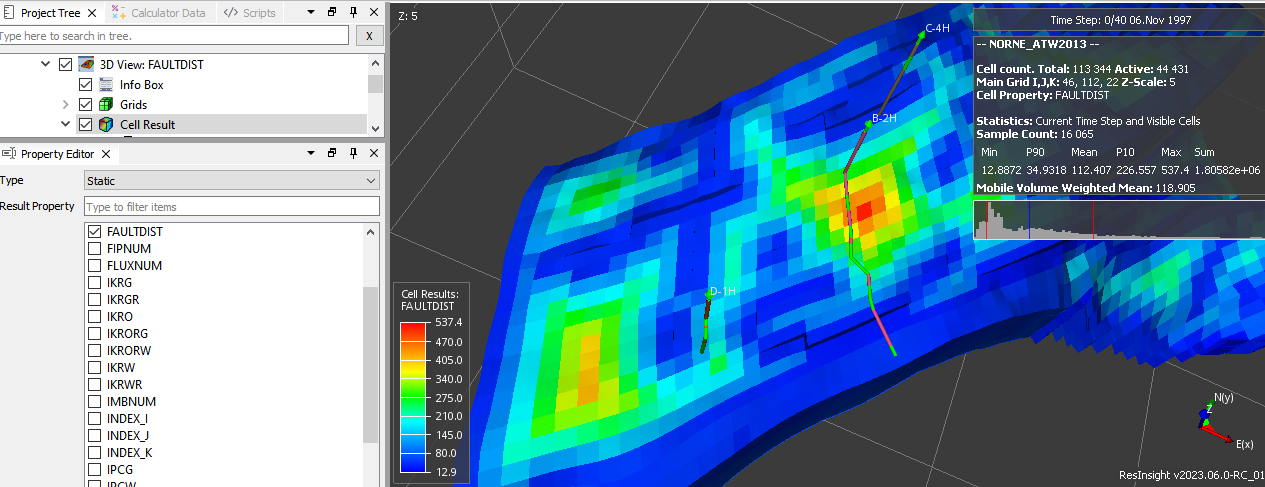
Fault Distance
When planning new well paths, it can be useful to see the distance from each cell to the closest fault. ResInsight offers two ways to access this information:
- FAULTDIST – a predefined static result computing the distance to the closest of all faults in the grid. It is available in Cell Result -> Static -> FAULTDIST, and the calculation is started when the result is selected.
- Fault Distance Result – a configurable result computing the distance to a selected subset of the faults.
Fault Distance Result
To create a configurable fault distance result, right-click the Faults collection in a 3D view, or the Data Analytics folder of the case, and select New Fault Distance. The new item appears in the Project Tree in the Data Analytics folder, under Fault Distance.
If one or more faults are selected when invoking New Fault Distance, only those faults are preselected in the new result. Otherwise, all faults are preselected, except faults generated by ResInsight.
Each fault distance result has the following properties:
- Name – The name of the generated result (default:
FAULTDIST1,FAULTDIST2, …). - Faults – The faults to include in the distance calculation.
- Generate – Computes the result and displays it in the 3D view.
The generated result is available in Cell Result -> Generated under the given name. Renaming or deleting the fault distance result removes the corresponding generated result from the case.
Calculation
The calculation is performed in two steps:
- The face centers of all cell faces belonging to the included faults are collected.
- For each active cell, the distance between the cell center and each fault face center is computed, and the smallest distance is kept.
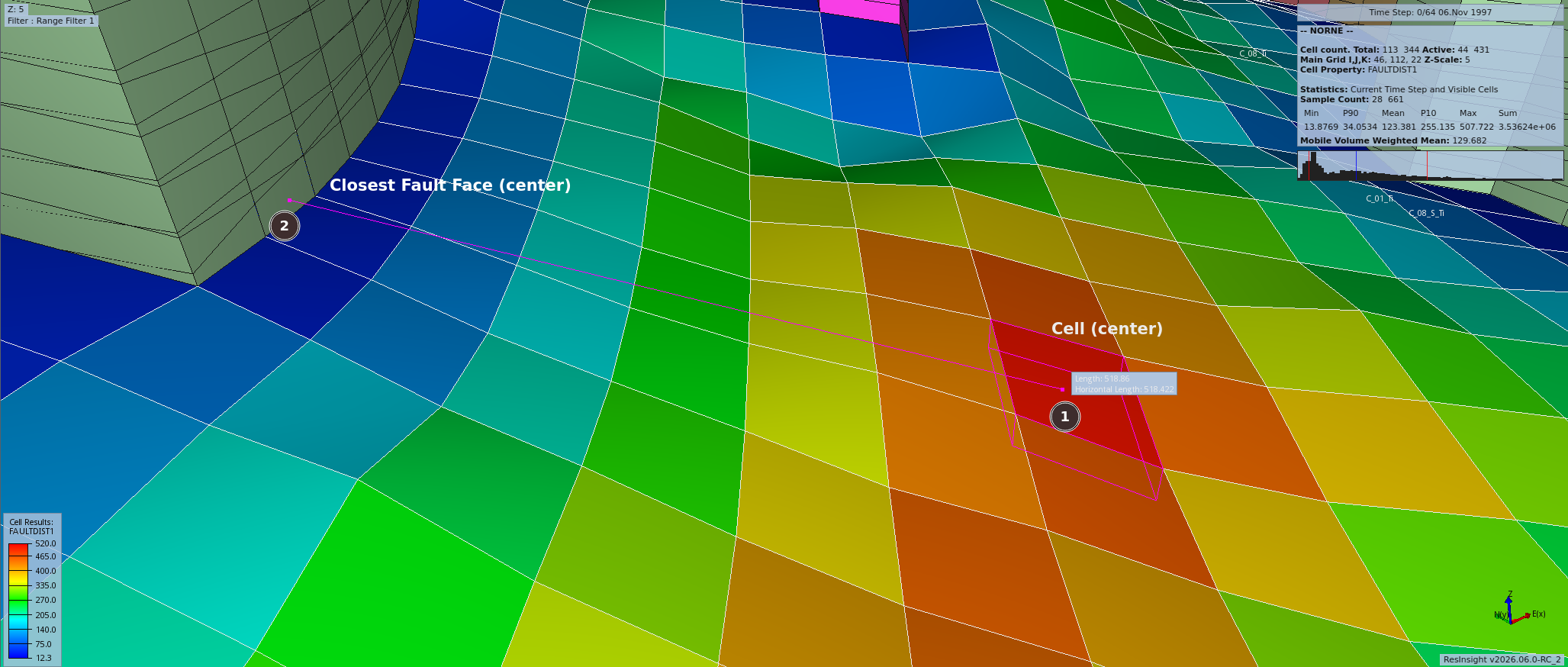
One value is calculated per active cell. The illustration below shows a cell center (1) and the face center of the closest fault (2). The distance between these two points is the resulting value for the cell.